Scroll depth on every page, with no setup
The Stickybeak script measures how far down each page is read, how long someone is actively on it, and which heading they got to. It's on from the moment you install it.
What's measured
- How far down the page they got, as a percentage
- Seconds actively on the page, while the tab is visible
- The furthest heading that came well onto their screen
- Where their screen stayed longest, in tenths of the page
- Where on the page each click or goal happened
Each page view in an opened visit shows a read bar and a strip of ten blocks, darker where their screen stayed longest. Hover it for the details: "Read 44% of the way down. Got as far as 'What people say'."
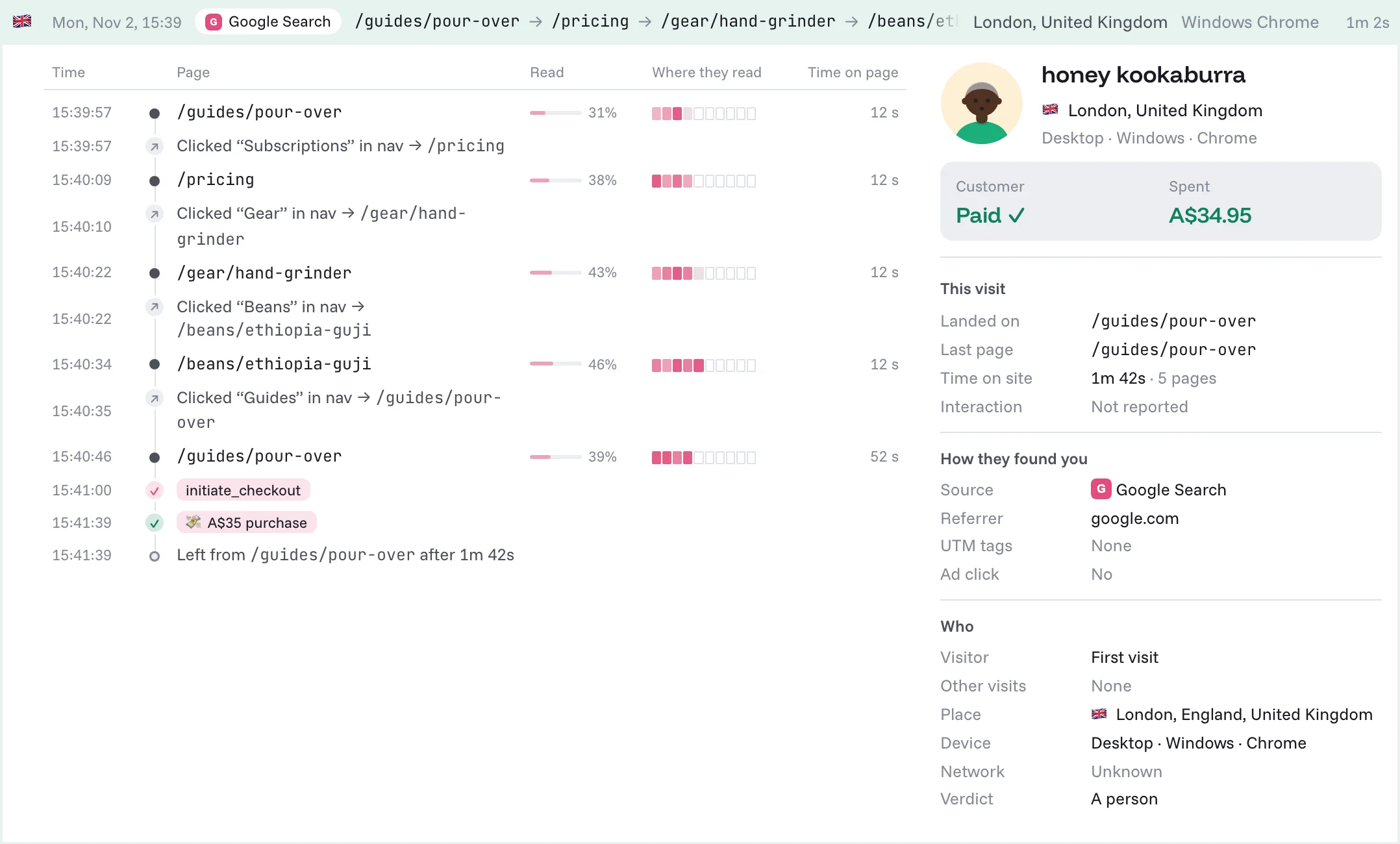
Per page, on average
Hover a row in the Pages breakdown to see how that page is read on average: how far down, where screens linger and the headings people reach. Filter the page to one channel or country to compare.
How it works
The page is split into ten bands. Each second the tab is visible, the band in the middle of the screen gets a tick, and the furthest point that has come onto the screen is the depth. The headings (h1 to h3) name where they got to. It's sent with the script's regular pings, so there's nothing to add to your pages.
Questions
Does it need extra code?
No. Scroll depth comes with the standard and cookieless scripts.
Does it slow the page down?
No. It reads the scroll position once a second while the tab is visible and sends it with the pings the script already makes.
Does it record the screen?
No. It records how far down and how long, never what's on the screen or what anyone types.
Read more
- Visitor timelines
Scroll depth in context, page by page through a visit.
- Average session duration
What time on site does and doesn't tell you.
- Bounce rate
When a bounce is a problem, and when it isn't.