Using the dashboard
Site analytics
Website traffic analytics helps you explore one site's visitors, sources, content, locations and devices. Open its wall card to start.
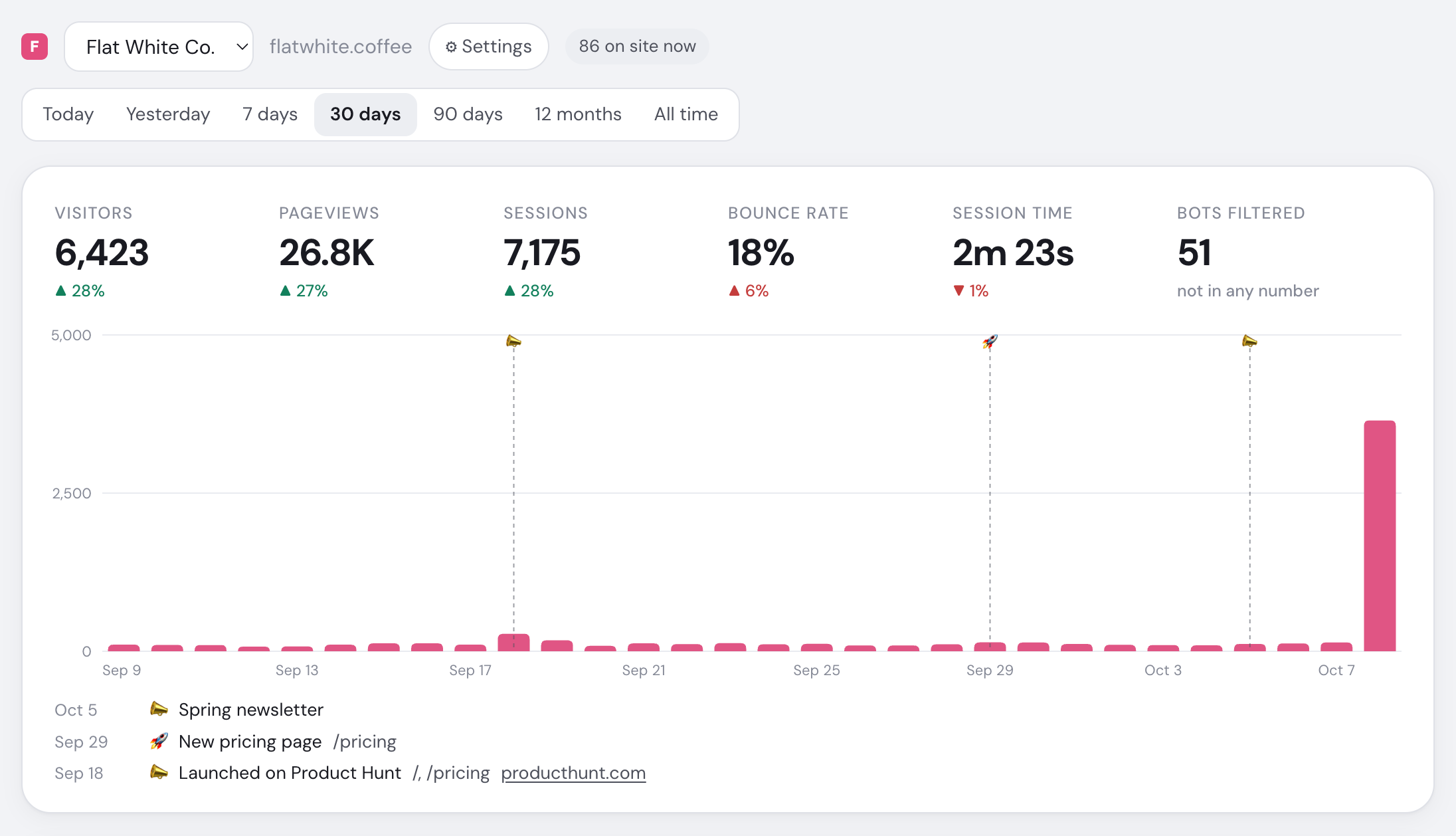
- Choose the site to analyse
- Visitors currently on this site
- Choose the reporting date range
- Unique visitors and prior-period change
- Bounce rate; lower is an improvement
- Filtered bots excluded from every metric
- Visitor trend across the selected range
Unique visitors, session duration and bounce rate
| Metric | Definition |
|---|---|
| Visitors | Unique people whose session started in the range |
| Pageviews | Pages in those sessions, including SPA route changes |
| Sessions | Visits; 30 minutes without activity starts a new one |
| Bounce rate | Sessions with at most one pageview and under 10 seconds |
| Session time | Average first-to-last activity, including presence pings |
| Bots filtered | Unique bots, excluded from every other metric |
Changes compare the preceding equal period; Today compares with yesterday at the same time. Lower bounce rate is shown as an improvement.
Date ranges
| Range | Bars | Source |
|---|---|---|
| Today, Yesterday | 15 minutes | Raw visits |
| 7 days, 30 days | Days | Raw visits |
| 90 days | Days | Daily rollups |
| 12 months, All time | Months | Daily rollups |
Rollups sum unique visitors per day, keep each day's top 100 breakdown rows and may trail by an hour. Filters work only through 30 days. See Data retention.
Breakdowns
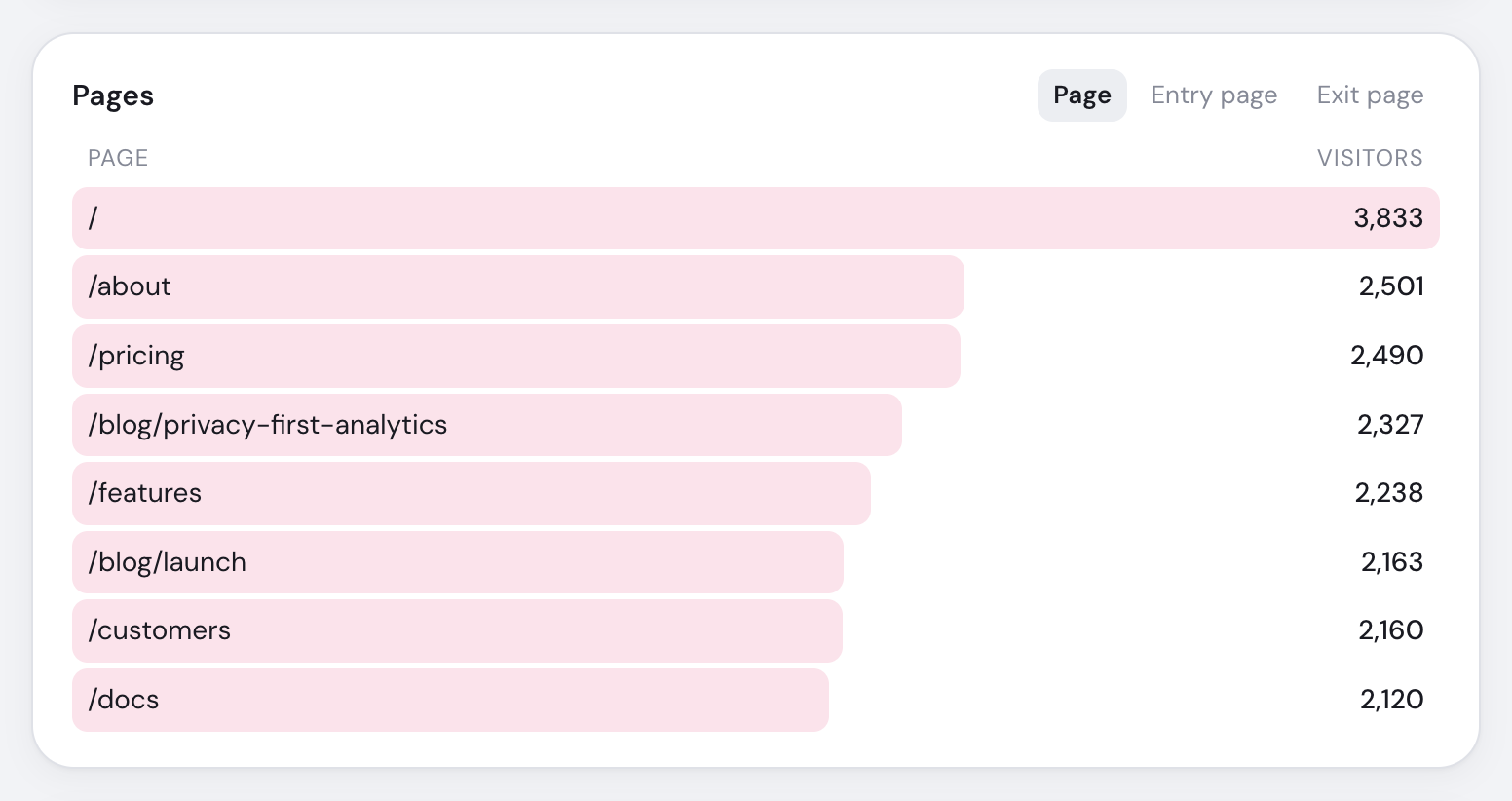
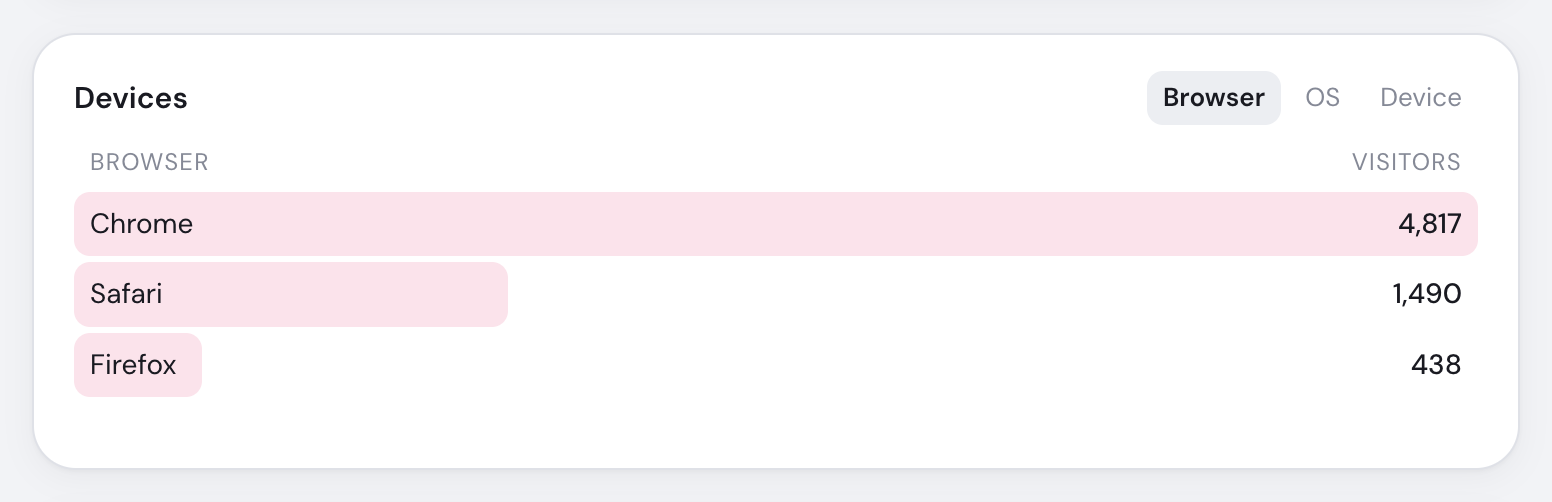
| Panel | Tabs |
|---|---|
| Sources | Channel, Referrer, Source, Medium, Campaign |
| Pages | Page, Entry page, Exit page |
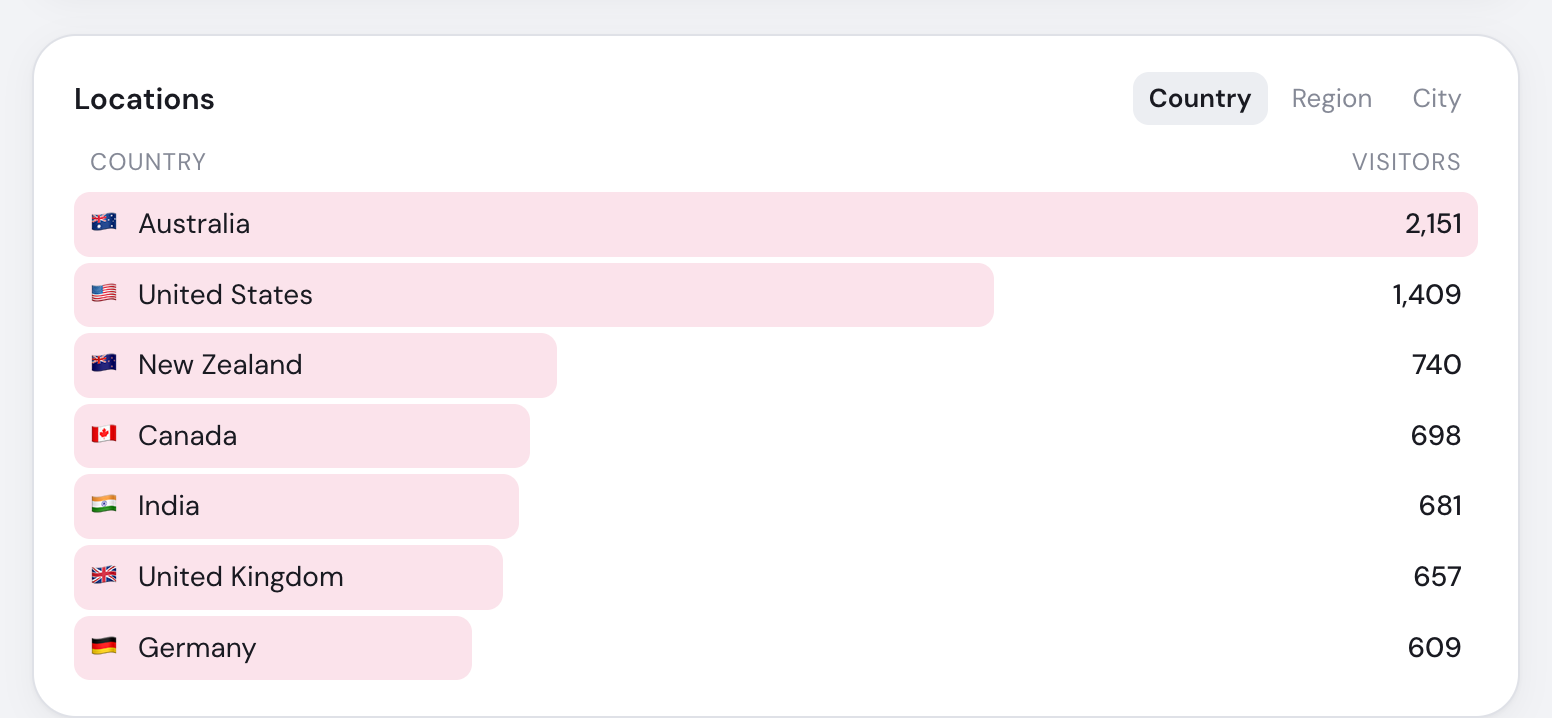
| Locations | Country, Region, City |
| Devices | Browser, OS, Device |
| Bots | Detected bot and category |
Location uses the same ranked-card pattern for countries, regions and cities.
Filter the page
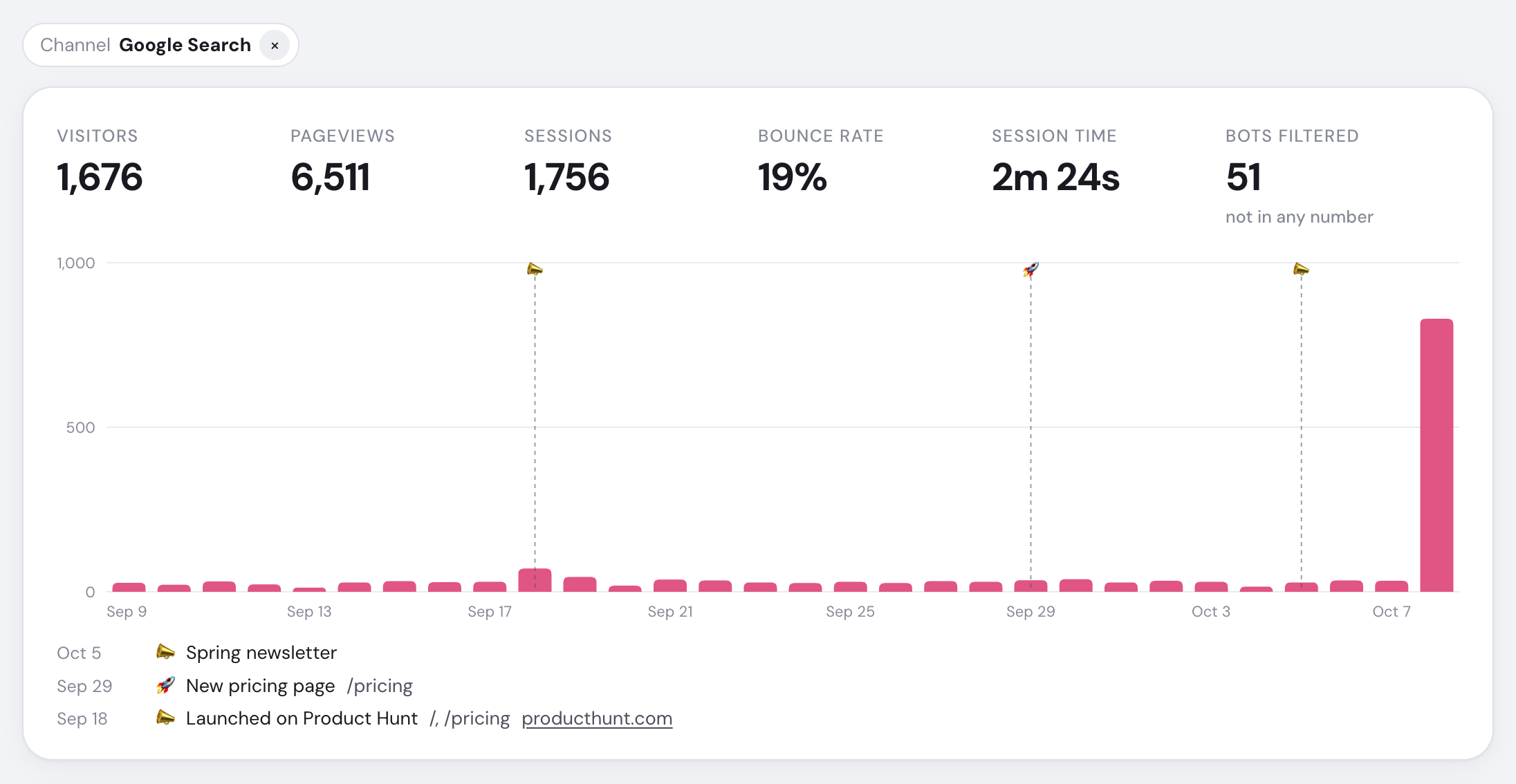
Click a row to add a filter chip; combine different lists or remove a chip with ×. A Page filter means the session viewed that page anywhere; Entry page means it began there.
Filters do not change Goals, Revenue, Campaigns, Affiliates, Crawlers or Internal links.
The URL stores the range and filters, so you can bookmark or share the view. Today refreshes each minute; Right now remains live.