Campaigns and attribution
UTM tags
UTM tracking starts when you add UTM parameters to shared links. Stickybeak records them on the landing visit and reports the campaign automatically.
UTM parameters for campaign tracking
| Parameter | Use | Stored |
|---|---|---|
utm_source | Sender: newsletter, google | Lowercase |
utm_medium | Traffic type: email, cpc | Lowercase |
utm_campaign | Promotion | As sent |
utm_content | Ad or link variant | As sent |
utm_term | Paid keyword | As sent |
Values stop at 128 characters; private or secret-like values are dropped. Other query parameters are not sent. Use one case convention so campaigns do not split into separate rows.
How a visit is tagged
Only the landing page sets a visit's UTM tags. Later tagged pages do not replace them. After 30 minutes without activity, a return starts a new visit.
Where campaigns appear
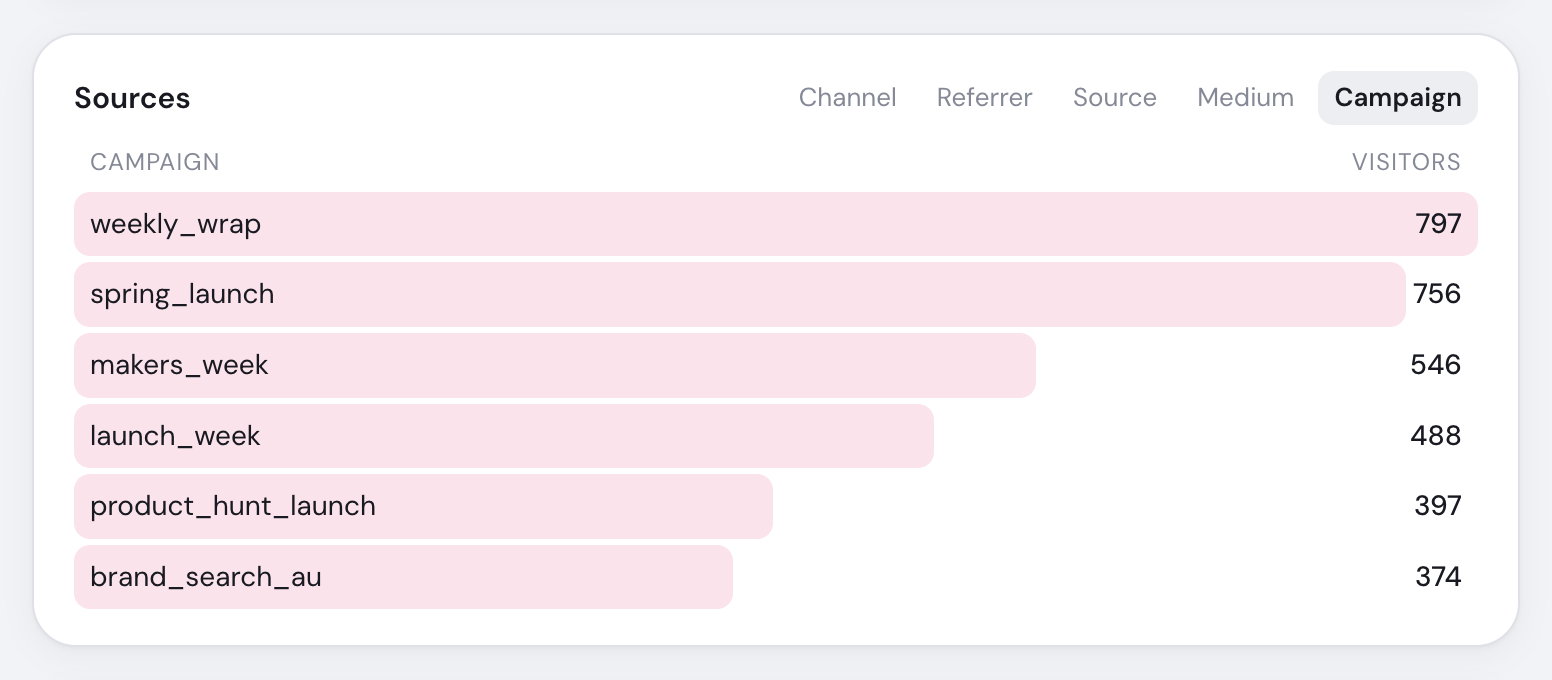
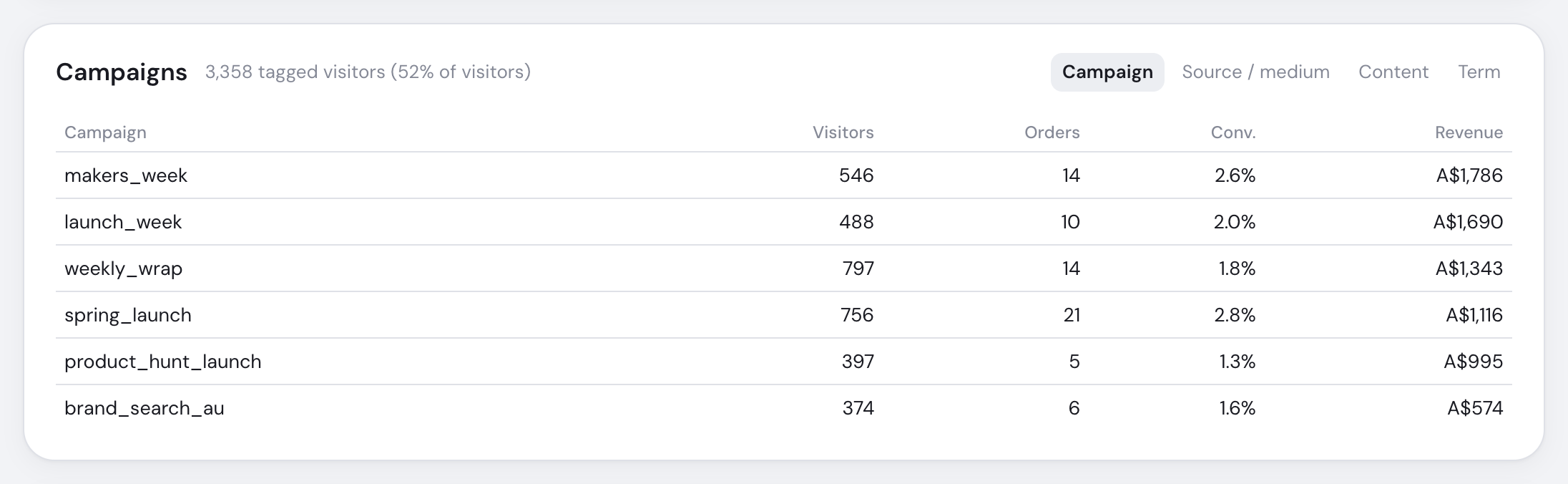
| View | Breakdown |
|---|---|
| Sources | Source, Medium and Campaign; click a row to filter the page |
| Campaigns | Campaign, Source / medium, Content and Term with visitors, orders and revenue |
| Revenue | Last-touch campaign totals and each order's first and buying visit |
For 90 days and longer, campaign visitors are daily totals summed across days; orders and revenue remain exact. UTM tags still work in privacy mode.
Use Tagging links for channel-ready patterns.