Using the dashboard
Internal links
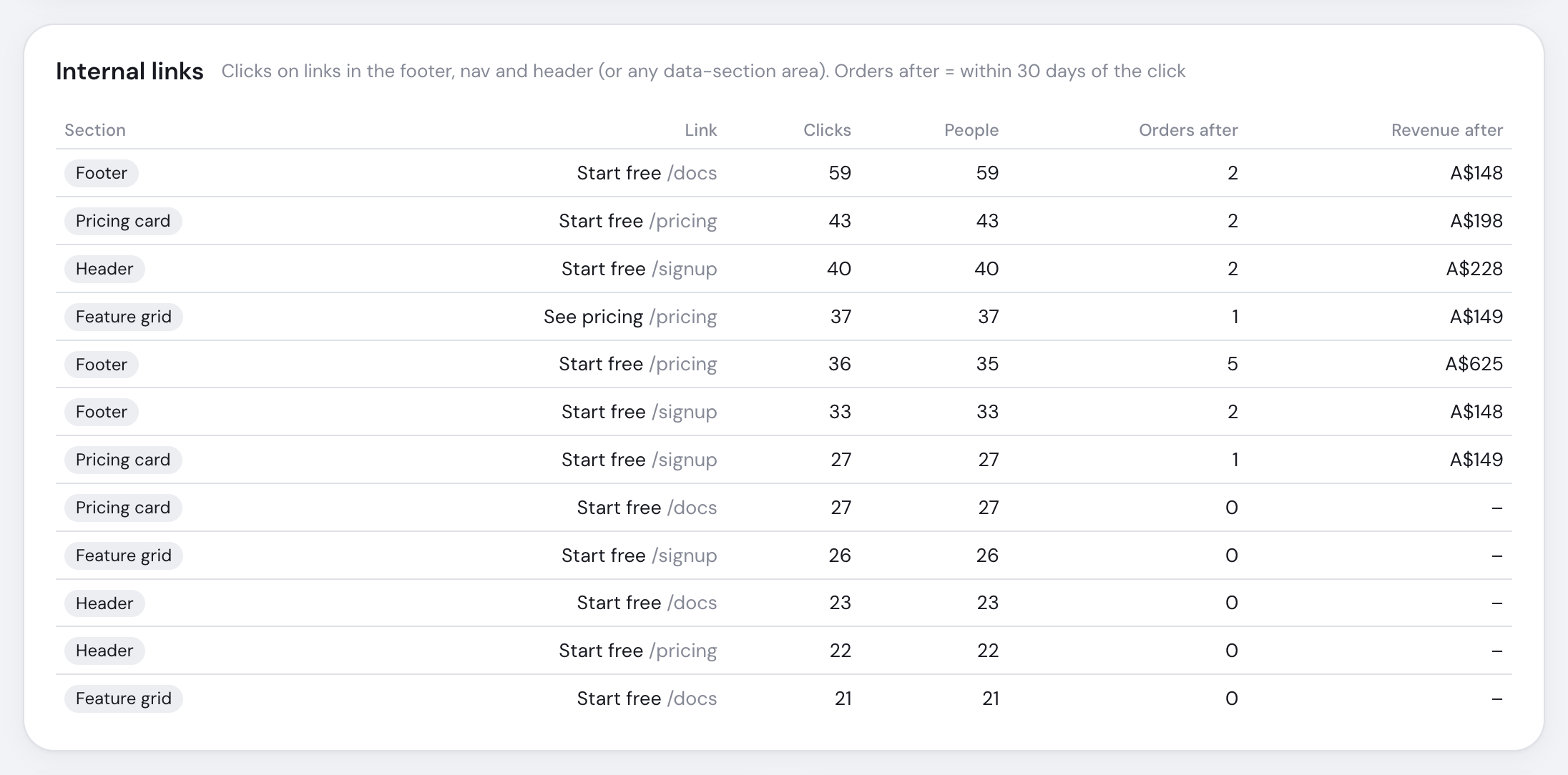
Internal-link reporting connects prominent navigation clicks with purchases in the following 30 days.
What counts
The link must point to your domain or a subdomain and sit inside <nav>, <header>, <footer> or a named section. A link with data-goal sends that goal instead of link_click.
<aside data-section="sidebar">
  <a href="/pricing">Pricing</a>
</aside>Columns
| Column | Meaning |
|---|---|
| Section / Link | Where the click happened and its destination |
| Clicks / People | All clicks and unique visitors |
| Orders / Revenue after | Purchases within 30 days after those clicks |
The top 100 links appear, ordered by clicks. Raw click details last 32 days, so longer ranges cover the most recent month. Privacy mode removes section and destination details.
Outbound, email and phone clicks are separate automatic events.