Using the dashboard
The wall
The website analytics dashboard gives you every site at a glance. The wall updates within seconds and opens each site's full analytics.
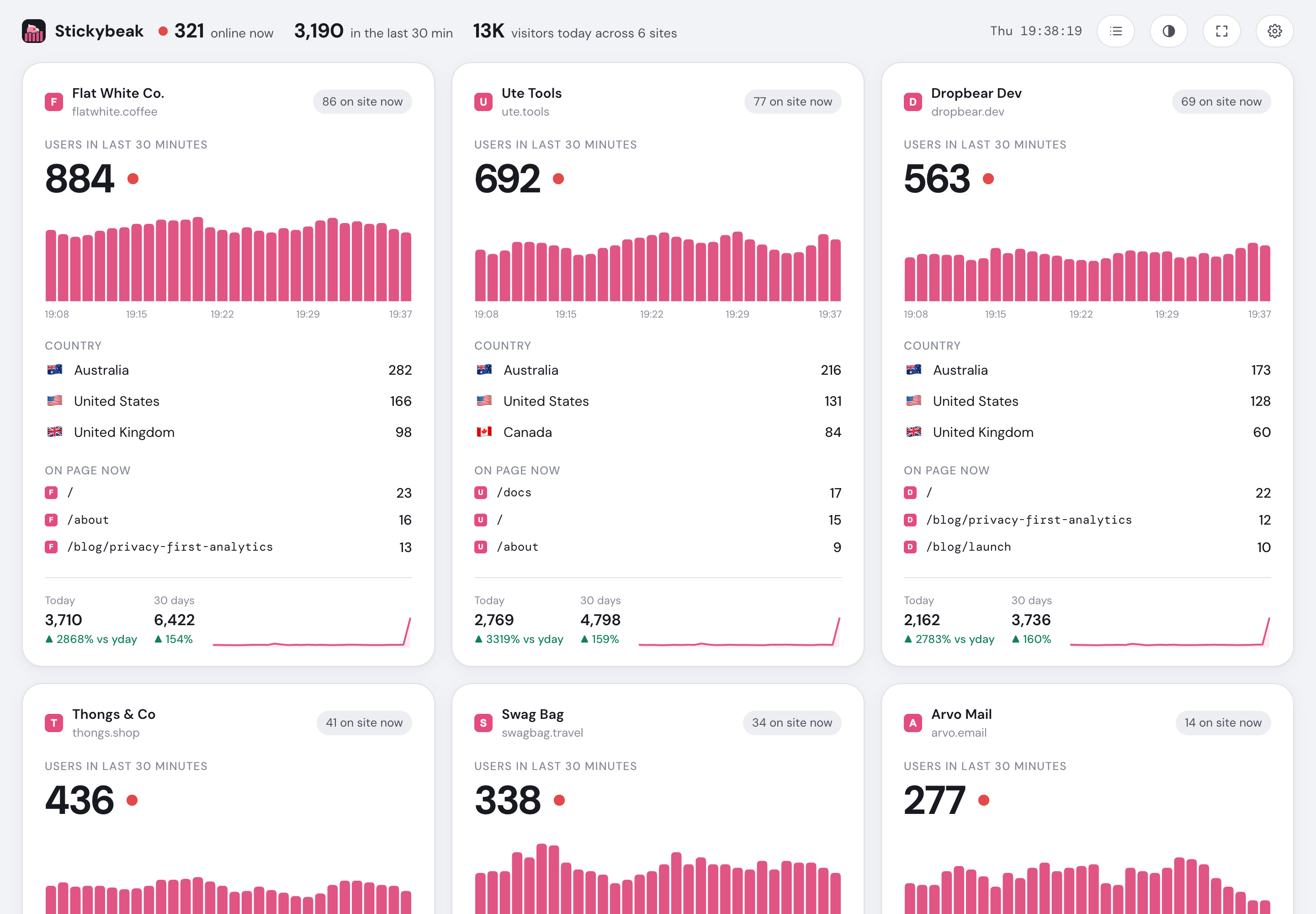
- Live totals across every site
- Switch between card and list views
- Fit every card to the screen
- One complete live summary per site
What each part means
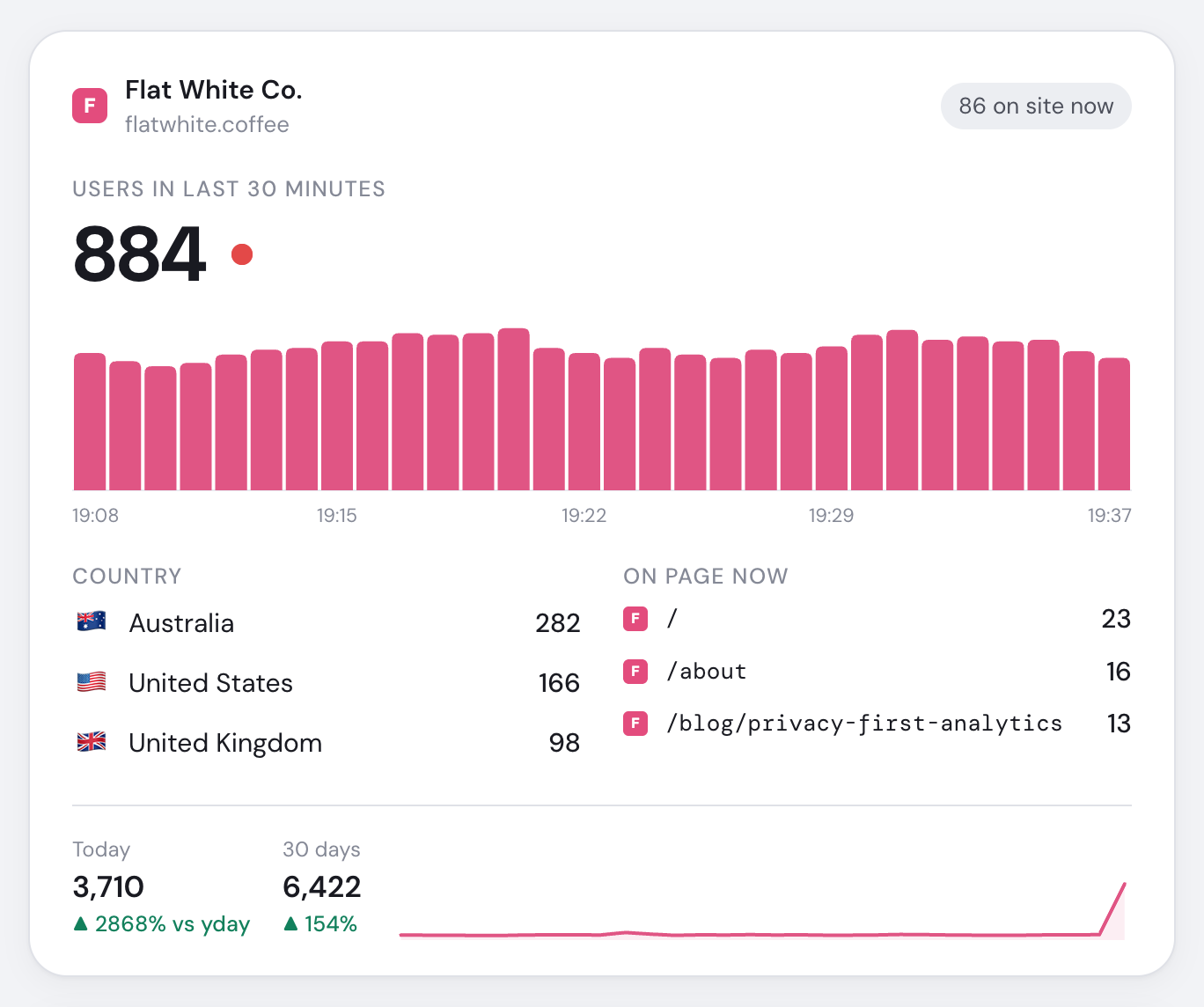
- Site identity and dashboard link
- Visitors on this site now
- Visitors active during the last thirty minutes
- Active visitors for each recent minute
- Top countries and changes since opening
- Pages visitors are viewing now
- Today versus yesterday and thirty-day trend
Numbers marked with ▲ or ▼ changed since the wall opened. Bots stay out of visitor counts, and a new order appears on its card for three minutes.
Use it as an analytics TV dashboard
- Press F or the full-screen button to fit every card without scrolling. Press again or Esc to leave.
- Use
https://app.usestickybeak.com/?fiton a TV or kiosk that cannot enter full screen. - Keep that browser signed in. A dropped live connection reconnects automatically.
List view gives one compact row per site and is remembered on that device. New workspace? Follow the quick start.