Using the dashboard
Goals and revenue
The Goals card counts configured conversions. After the first purchase, Revenue connects orders to the visits that earned them.
Goals
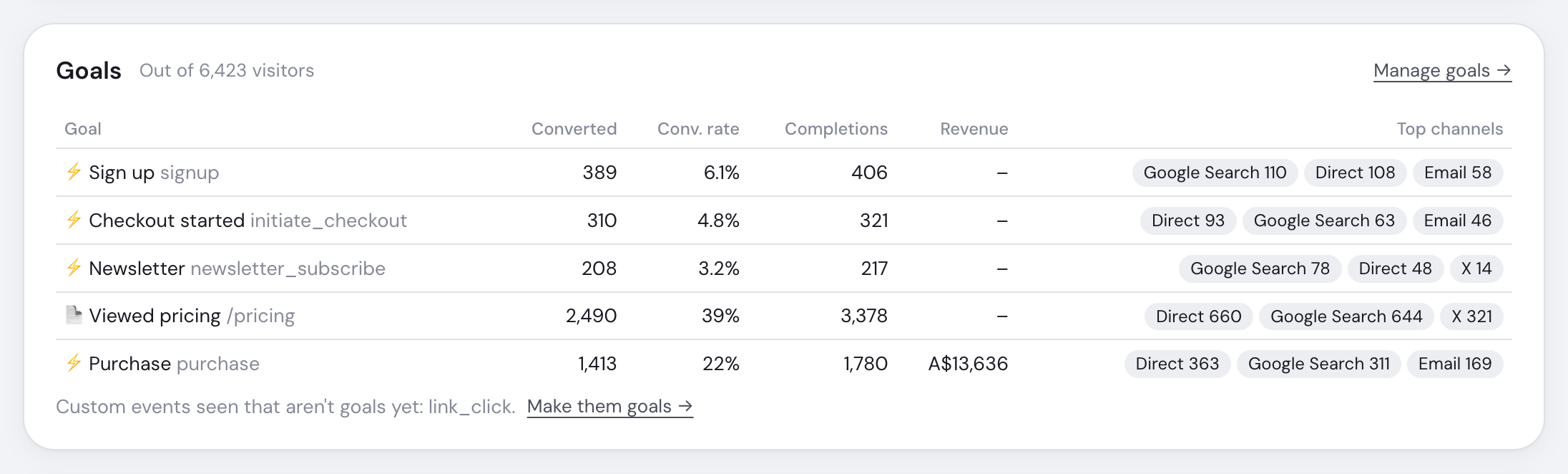
| Column | Meaning |
|---|---|
| Converted | Unique visitors who completed the goal |
| Conversion rate | Converted visitors divided by visitors in the range |
| Completions | Every completion, including repeats |
| Revenue | Purchases matching this goal |
| Top channels | Up to three channels producing the most converters |
Goals are evaluated when viewed, so a new definition can match retained history. On ranges of 90 days or more, visitors are daily sums and Revenue and Top channels are omitted.
Set up goals
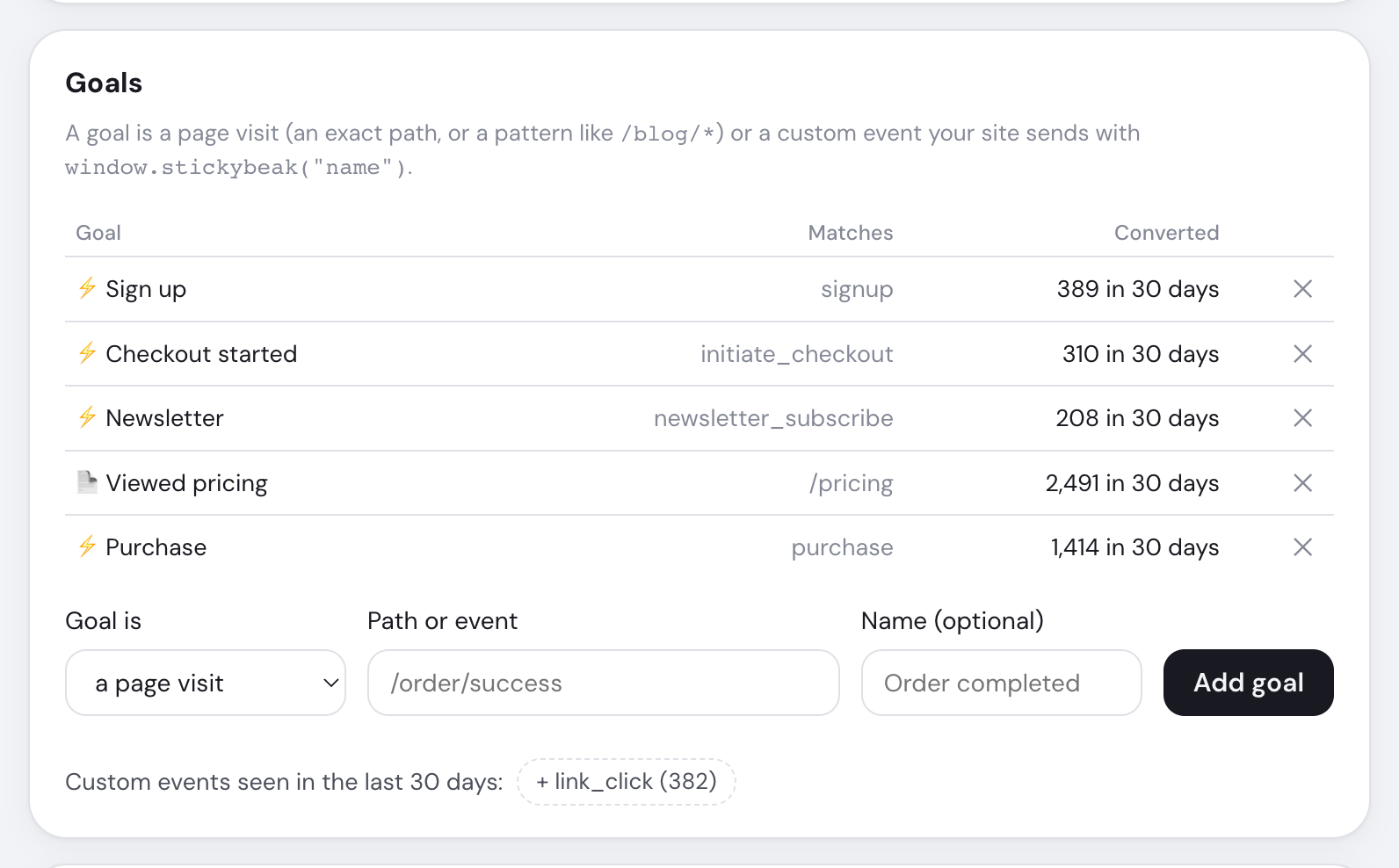
Open Manage goals → or ⚙ Settings → Goals. Choose a page visit or custom event; * matches the rest of a path or event name. Only admins can change goals. Deleting one keeps its underlying visits and events.
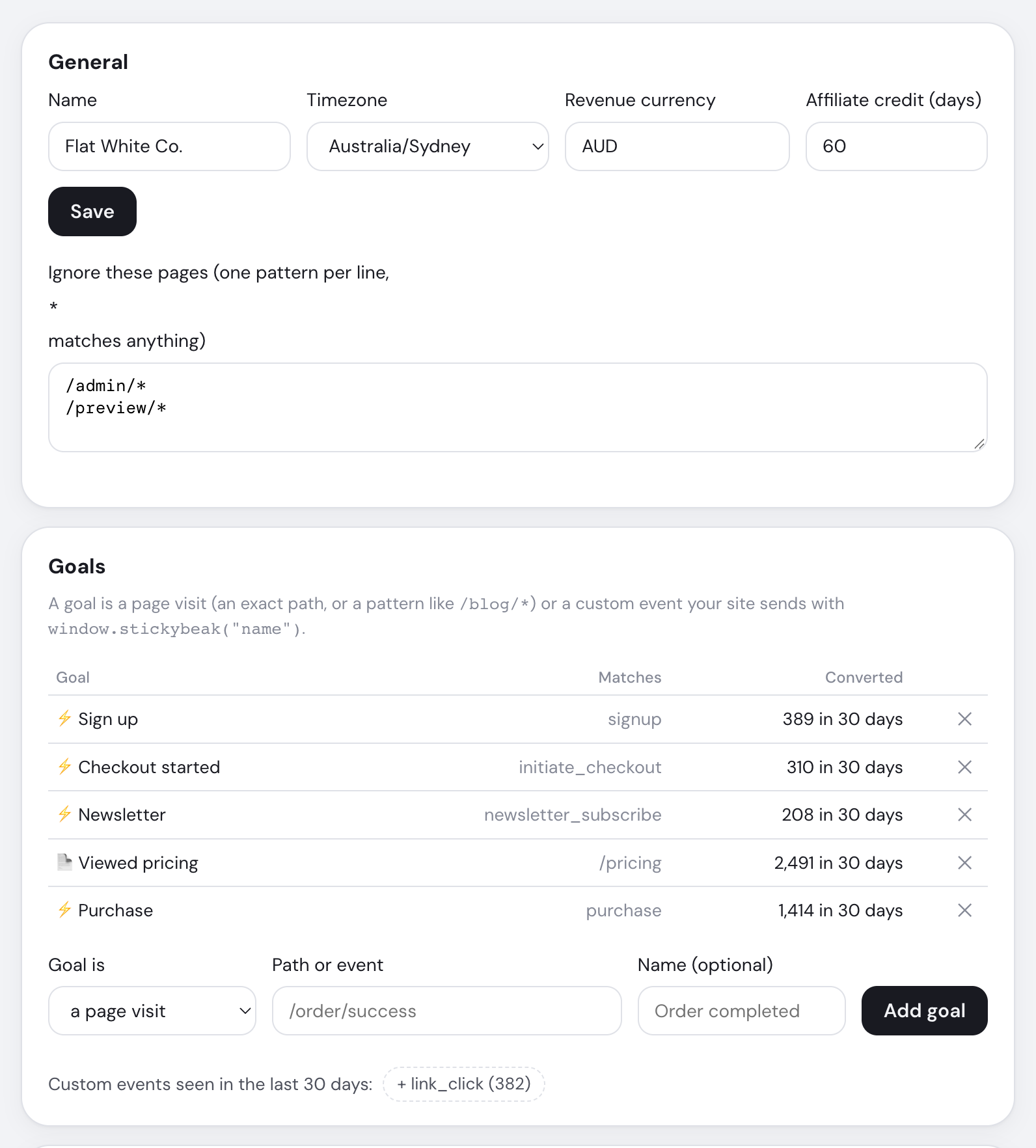
Unconfigured custom events appear below the card. Automatic events include outbound_link, email_click, phone_click and link_click.
Revenue
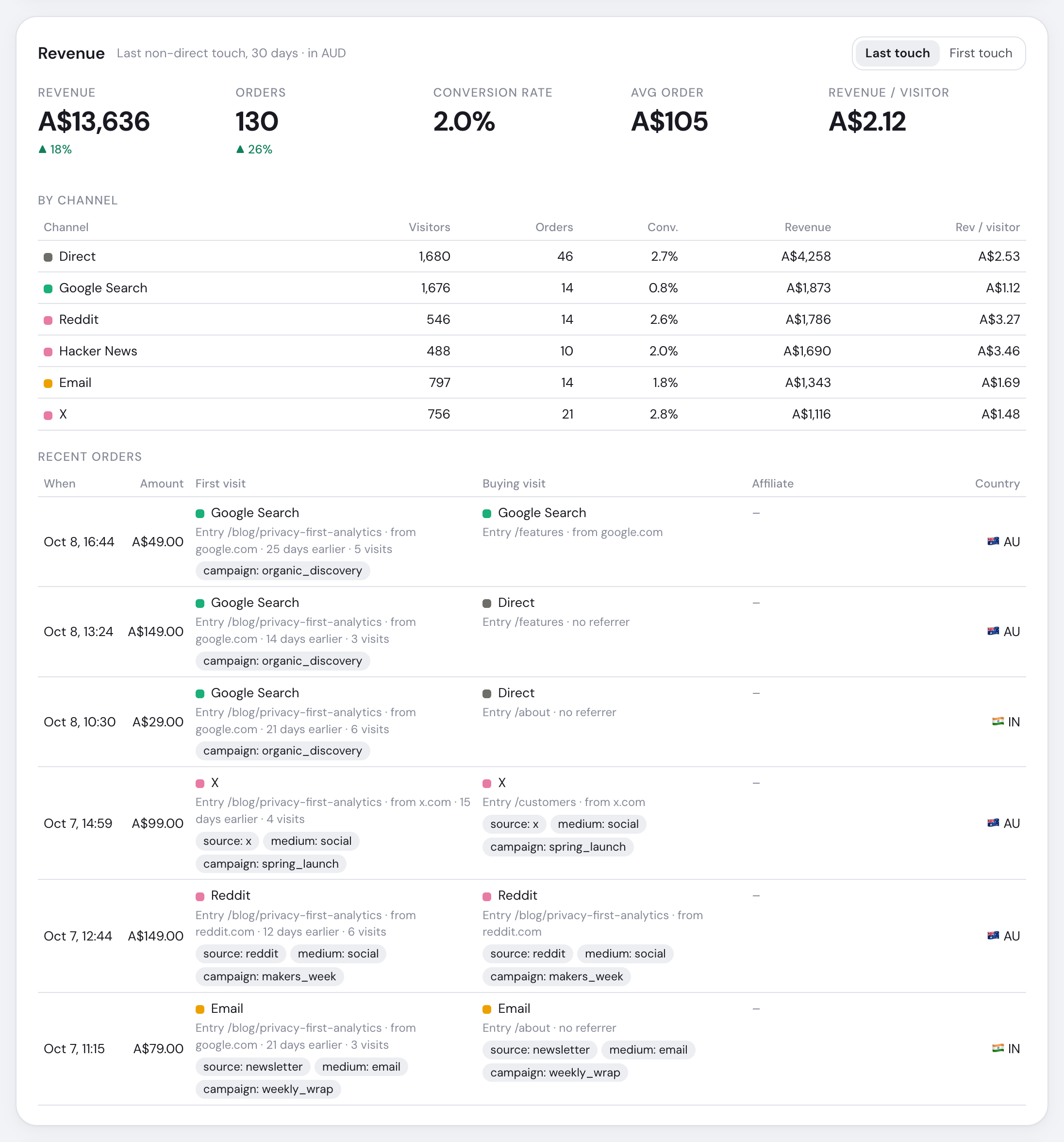
- Attribution window and reporting currency
- Switch between last-touch and first-touch credit
- Attributed revenue and prior-period change
- Visitors who completed a purchase
- Visitors, orders and revenue by channel
- Recent orders with first and buying visits
| Part | Shows |
|---|---|
| Headlines | Revenue, orders, conversion rate, average order and revenue per visitor |
| Attribution switch | Last non-Direct visit in 30 days, or first recorded visit |
| Chart and tables | Revenue by channel, source, landing page and campaign |
| Recent orders | Latest 25 with first visit, buying visit, affiliate, country and currency conversion |
Orders are never archived and Revenue ignores page filters. Long-range visitor denominators are daily sums. Missing exchange rates keep orders in the count but out of revenue totals.
A new order appears on the wall for three minutes. See Revenue tracking and Attribution models.
Named goals remain, but discarded properties mean purchases cannot produce revenue.