Using the dashboard
API
The Stickybeak analytics API creates chart annotations from your tools. It does not read analytics data.
Create a token
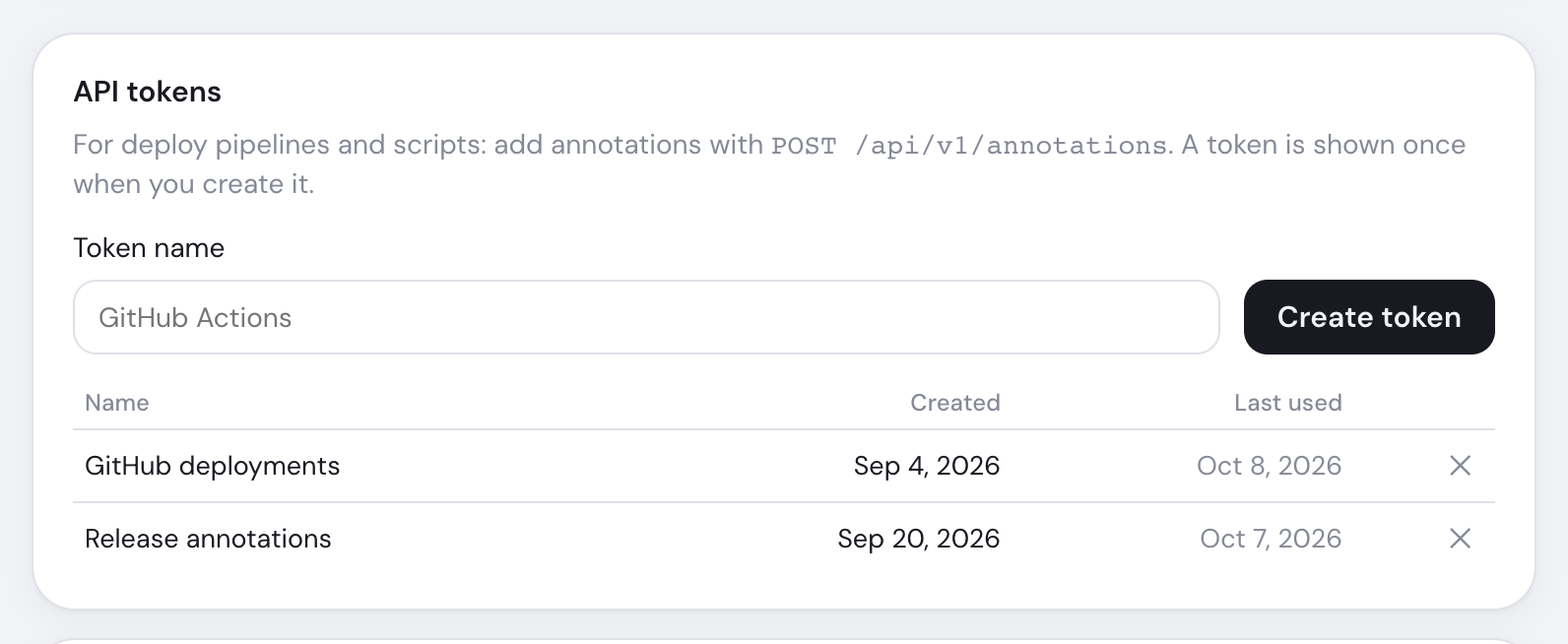
Open Settings → API tokens
You must be a workspace admin.
Name and create it
Copy the
sbk_…token now; only its hash is stored.Save it as a secret
The token covers every site in the workspace. Revoking it stops access immediately.
Add an analytics annotation
curl -X POST https://app.usestickybeak.com/api/v1/annotations \
  -H "Authorization: Bearer sbk_your_token" \
  -H "Content-Type: application/json" \
  -d '{
    "site": "example.com",
    "kind": "deploy",
    "title": "New pricing page",
    "ts": "2026-10-08T09:30:00+10:00",
    "paths": ["/pricing"],
    "url": "https://github.com/acme/shop/pull/42"
}'| Field | Rule |
|---|---|
site | Required domain or site ID in the token's workspace |
title | Required; cut to 200 characters |
kind | note, deploy, campaign or incident |
ts | Optional ISO 8601 time; defaults to now |
paths | Optional array or separated string; up to 50 paths beginning with / |
url / body | Optional http(s) link and details up to 5,000 characters |
Success returns 201 and the annotation. Invalid input returns 400, a missing or revoked token 401, and an unavailable site 404.
GitHub Actions
Store the token as STICKYBEAK_TOKEN, then run after deployment:
- name: Annotate Stickybeak
  run: |
    curl -fsS -X POST https://app.usestickybeak.com/api/v1/annotations \
      -H "Authorization: Bearer ${{ secrets.STICKYBEAK_TOKEN }}" \
      -H "Content-Type: application/json" \
      -d "$(jq -n --arg t "$(git log -1 --format=%s)" --arg u "${{ github.server_url }}/${{ github.repository }}/commit/${{ github.sha }}" \
        '{site: "example.com", kind: "deploy", title: $t, url: $u}')"