Goals and revenue
Custom goals
Goal tracking counts actions such as signups, demo requests or pricing clicks. Goals are often called custom events or conversions; send one with HTML or JavaScript, then add it in the dashboard.
Custom event tracking
Add data-goal to any clickable element. Extra data-goal-* attributes become properties.
<button data-goal="initiate_checkout" data-goal-plan="pro">Buy Pro</button>window.stickybeak("signup", { plan: "pro" });<button onClick={() => window.stickybeak?.("signup", { plan: "pro" })}>
Create account
</button><script setup>
function trackSignup() {
window.stickybeak?.("signup", { plan: "pro" });
}
</script>
<template><button @click="trackSignup">Create account</button></template><button onclick={() => window.stickybeak?.("signup", { plan: "pro" })}>
Create account
</button><button id="signup">Create account</button>
<script>
document.querySelector("#signup")?.addEventListener("click", () => {
window.stickybeak?.("signup", { plan: "pro" });
});
</script>Render this only after the server has confirmed the action.
<script>window.stickybeak("signup", { plan: "pro" });</script>With TypeScript, declare window.stickybeak once as an optional function accepting a name and a string, number or boolean property map.
Add the queue stub
JavaScript calls can run before the deferred tracker loads. Put this above it; it queues up to 100 early calls and prevents errors if tracking is blocked. HTML-only goals do not require it.
<script>window.stickybeak = window.stickybeak || function () { (window.stickybeak.q = window.stickybeak.q || []).push(arguments); };</script>
<script defer data-site="YOUR_SITE_ID" data-domain="example.com" src="https://app.usestickybeak.com/_cfw/s.js"></script>Names and properties
| Part | Rules |
|---|---|
| Name | 1–64 characters: lowercase letters, digits, _, - or :. Case is lowered; pageview is reserved. |
| Properties | Up to 10. Keys are 64 characters; string, number and boolean values are stored as text up to 255 characters. |
| Private data | Personal-data and secret-like keys or values are dropped. Never send emails, phone numbers, passwords, tokens or customer IDs. |
| Order IDs | order_id, transaction_id and orderid may contain letters, digits, _ and -, up to 128 characters. |
Hyphens in HTML property names become underscores. The dashboard groups by goal name, not property, so use separate names when you need separate rows.
Turn events into goals
Open ⚙ Settings → Goals
Or click Manage goals → on the Goals card.
Add the match
Choose a custom event, enter its name and click Add goal.
signup*matchessignup_freeandsignup_pro.
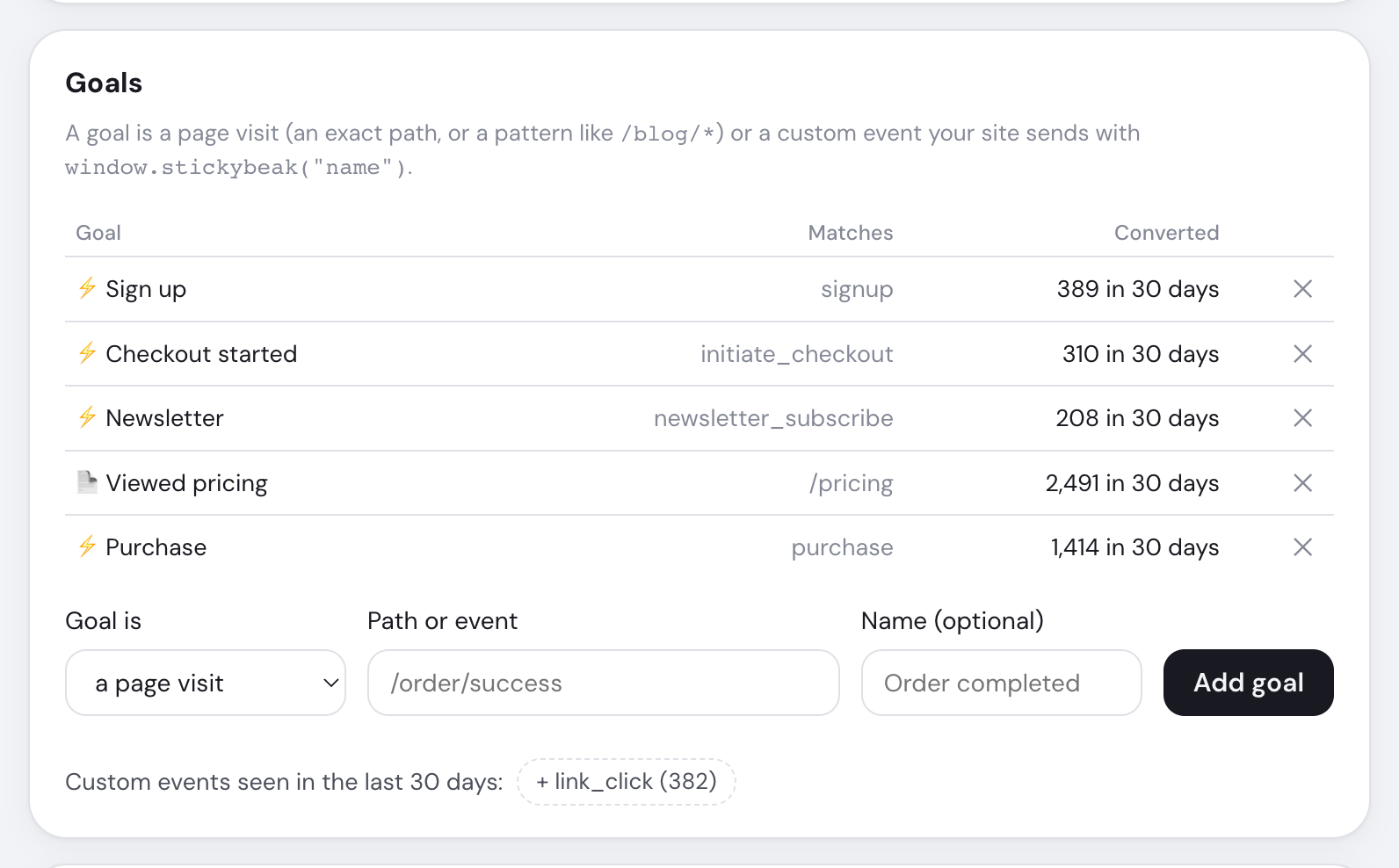
For a URL instead, choose a page visit and enter /thank-you or a pattern such as /blog/*. Query strings and trailing slashes are ignored.
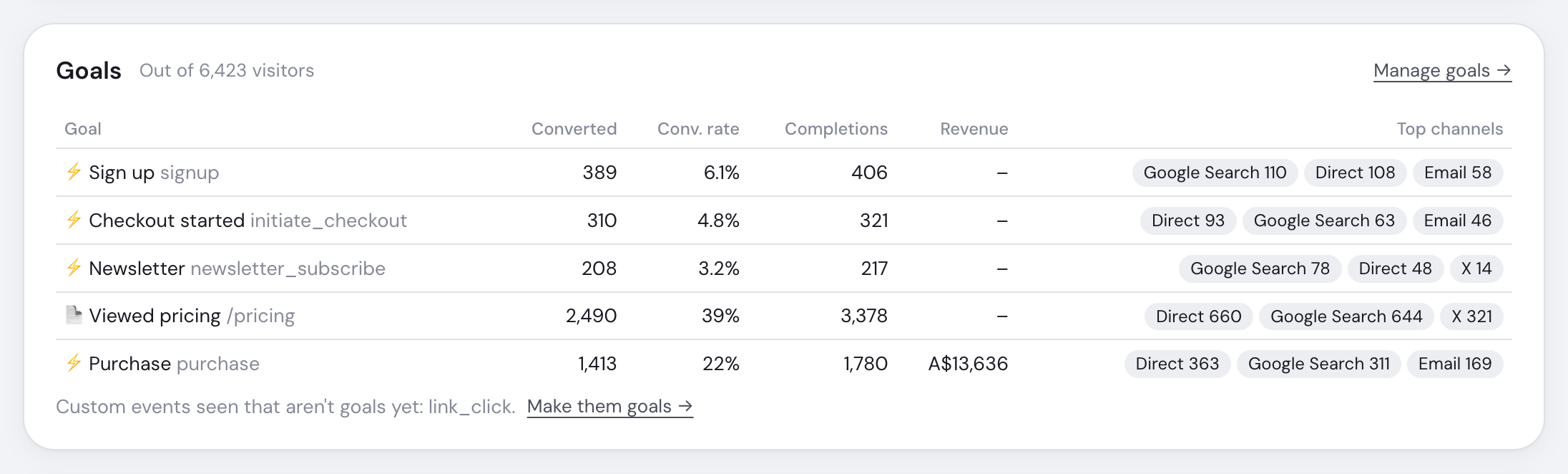
If nothing arrives
- Check the name, then look for a
POSTto/_cfw/ireturning202. localhost, iframes, ignored pages andstickybeak:ignoresend nothing. Do Not Track and Global Privacy Control don't stop goals.- Privacy mode keeps the goal name but discards every property, including revenue.
See Troubleshooting for the full checklist.