Adobe Analytics vs Google Analytics: how they differ
Google provides standard Google Analytics free of charge. Adobe Analytics is sold on contract, keeps data for 25 months by default, and has no price we could find. Facts checked on 13 October 2026.
TL;DR
- Google provides standard Google Analytics free of charge.
- Adobe keeps data for 25 months by default.
- Facts checked on 13 October 2026.
If you need neither, Stickybeak is live analytics for every site you own, installed with one script tag. It is in early access.
Get early accessThe short answer
- Google Analytics: free of charge for the standard product, per Google's Analytics page. A paid enterprise version, Analytics 360, has no published price.
- Adobe Analytics: sold to organisations on contract. Adobe's data retention page refers to organisation contracts and paid yearly extensions. We found no price in the Adobe pages we could open.
- Choose by team and budget: one site or a few, run by someone who can learn GA4, is the usual case for Google. Adobe suits organisations that treat analysis as a job and are ready to buy through a sales process.
Side by side
Where a vendor page did not say, the cell says so. Vendors change these pages, so check the source before you plan around a number.
| Question | Google Analytics (standard) | Adobe Analytics |
|---|---|---|
| Price | "Free of charge", per Google's Analytics page. Analytics 360 (paid): no price shown, Talk to Sales. | Not stated on the pages we could open. The retention page mentions contracts and paid extensions. |
| Who it is for, in the vendor's words | Not stated for standard Google Analytics on the page we read. Analytics 360 is "tailored for the unique measurement needs of large enterprises". | Not stated on the documentation pages we read. |
| Data retention | 2 or 14 months for user-level and key-event data. It applies to explorations and funnel reports, not standard aggregated reports. 360: up to 50 months for other event data; user-level and key-event data keep the 2-or-14-month options. | 25 months by default. Yearly extensions can be bought, up to 8 of them. |
| Analysis tool | Reports and explorations inside Google Analytics. | Analysis Workspace, described by Adobe as a "drag-and-drop browser interface" with visualizations and panels, and projects you can share and schedule. |
| How you install it | Not covered on the pages we read. | Adobe's recommended method for new customers is the Web SDK extension. Other routes: the Analytics extension, legacy JavaScript and server-side APIs. |
| Limits you can read | 25 event parameters per event, 30 key events, 100 audiences, 1 million events a day to BigQuery export. | No equivalent limits table in the pages we read. |
| Privacy requests | Not covered on the pages we read. | The retention policy page says it supports customers' GDPR and CCPA data access and deletion requests. |
Google figures: Google Analytics 360 (Google Analytics 4 properties), Data retention, Analytics overview and Analytics 360. Adobe figures: data retention policy (last updated 28 September 2026), Analysis Workspace and implementation. Adobe's pricing and package pages did not load for us on the day, so this page says nothing about them.
Who each one suits
| If you are | Look first at |
|---|---|
| One person or a small team with one to a few sites | Google Analytics. It costs nothing to start, and our cost guide lists where "free" still takes time or money. |
| An organisation with analysts and a budget for a sales process | Adobe Analytics or Google Analytics 360. Google lists no price for 360 (Talk to Sales), and we found none for Adobe, so ask each for a written price before you compare. |
| Someone who wants the product to hold 25 months of history by default | Adobe Analytics, whose default is 25 months. Google's standard setting is 2 or 14 months for explorations, though standard reports are not affected. |
| Someone who wants a drag-and-drop workspace to build and share analyses | Adobe's Analysis Workspace is built for that. Google's explorations cover similar ground inside a free product. |
If you already use one of them and it answers your questions, stay. Switching costs history and time. The case for moving is a bill, a skill gap or a question the tool will not answer.
What to ask before you choose
- What does it cost in writing? Google's standard product is free. For Adobe Analytics and Analytics 360, ask for a quote and which extensions or add-ons are extra.
- How far back do you need to look? Retention is set by the vendor and the contract; see the table.
- Who will build the reports? Both tools reward someone who knows them. Tidy UTM parameters help in either.
- What do you need to export? Google lists a 1 million event daily BigQuery export for standard properties. Ask Adobe about its export options.
- Do you need consent before measuring? That depends on where your visitors are and how you set the tool up, not on which tool it is.
If you need neither
Many owners looking at an enterprise analytics tool run a handful of sites and want to know who visited, where they came from and whether they bought. That is a smaller job. Our Google Analytics alternatives guide covers lighter tools in each vendor's own words, Matomo vs Google Analytics compares Matomo and Google Analytics, and how to check website traffic covers the basics.
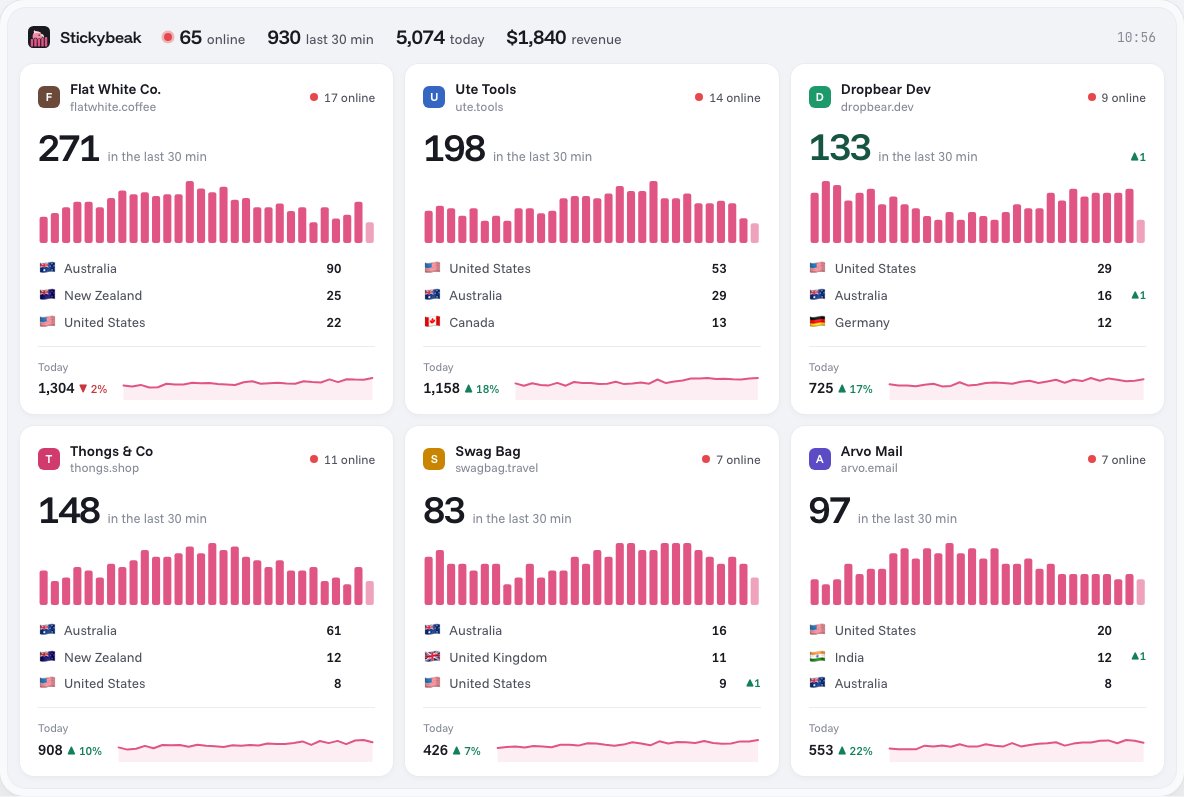
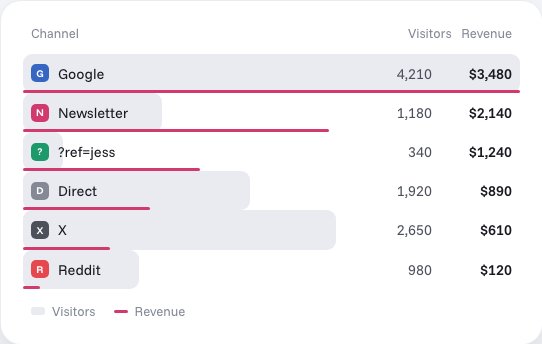
Stickybeak is our own option. It is live analytics for people who run more than one site: every site on one wall, revenue tied to the channel it came from, one script tag per site. It is in early access, with no public price or launch date yet, so it has no row in the table above. The FAQ answers the common questions, and analytics for multiple websites explains how several sites share a workspace.
Questions
Is Adobe Analytics better than Google Analytics?
Neither is better for everyone. Adobe sells Adobe Analytics to organisations on a contract and documents a 25-month default retention and a drag-and-drop analysis tool. Google gives standard Google Analytics away free of charge. Which fits depends on budget, team size and how much analysis work you do. The table on this page sets out what each vendor says.
Is Adobe Analytics free?
We found no free version in the Adobe documentation we read. Adobe's data retention page talks about contracts and paid extensions, and we could not open Adobe's pricing page on 13 October 2026, so we state no price. Standard Google Analytics is free of charge, per Google.
How much does Adobe Analytics cost?
We found no published price. Ask Adobe for a quote.
How long does Adobe Analytics keep data?
Adobe's default data retention policy is 25 months, and organisations can buy yearly extensions, up to 8 of them. Standard Google Analytics 4 offers 2 or 14 months for user-level and event-level data, which affects explorations and funnel reports, not standard aggregated reports.
Is Google Analytics 360 the same as Adobe Analytics?
No, they are different products from different companies. Google Analytics 360 is Google's paid enterprise version, with higher limits, up to 50 months of retention for other event data (user-level and key-event data keep the 2-or-14-month options), and no published price. Adobe Analytics is Adobe's product, sold on contract.
What can I use if I need neither?
If you run a handful of sites and want visits, sources and sales in one place, a lighter tool may be enough. Stickybeak is one option and is in early access, with no public price yet. Our Google Analytics alternatives guide covers others.
Sources, all read on 13 October 2026: Google, Analytics overview, Analytics 360, Google Analytics 360 (Google Analytics 4 properties) and Data retention. Adobe, Data retention, Analysis Workspace and Implementation. Stickybeak facts come from this site's home page and docs. Adobe and Google change their pages; if one has moved on, tell us and we will fix it.